

Play-first Discovery

Role
Product DesignerIndependent Exploration
Team
Individual Project
Timeline
2026
Tools
Python, Interactive Prototyping

Overview

Let the trailer play first. Let the story follow.

Play-first Discovery is a TV experience where a recommended title starts with its trailer, not a wall of posters. Press up or down to change, like channel-surfing. When the trailer ends, or you press OK, the film or first episode begins.

That is the promo at the top of this page. It is tidy, and it is not quite honest. Two of its lines, “Not feeling it? Skip it.” and “It learns what you like and what you don't,” are claims I could not stand behind after five conversations. Below is the prototype, one feature at a time, with the field notes pinned where they belong.

How to read the notes: Subjects A to E are the five people I talked to. Both margin notes are mine. At the time is what I wrote down when I read the result; Looking back is what I think now. They don't always agree.

Where I started

He had already decided on his phone.

Observation · Subject A
Asked how he picks something to watch: he checks IMDb or Filmweb first, confirms the title is on a platform he has, and only then picks up the TV remote. If he's unsure, he reaches for his phone because it's “just more natural.” Browsing on the TV wastes so much time that after an hour he usually gives up.
At the time
The competitor isn't another streaming home screen. It's the second screen in his hand.
Looking back
So the question changes: not “how do I make browsing faster,” but “can the TV be somewhere you don't need the phone?”

What it does

Six pieces, each with what people said.

Starts from cold. Before the system can learn from behaviour it needs a first impression. A handful of posters, “I'd watch this” or “skip,” and it starts building your stream.
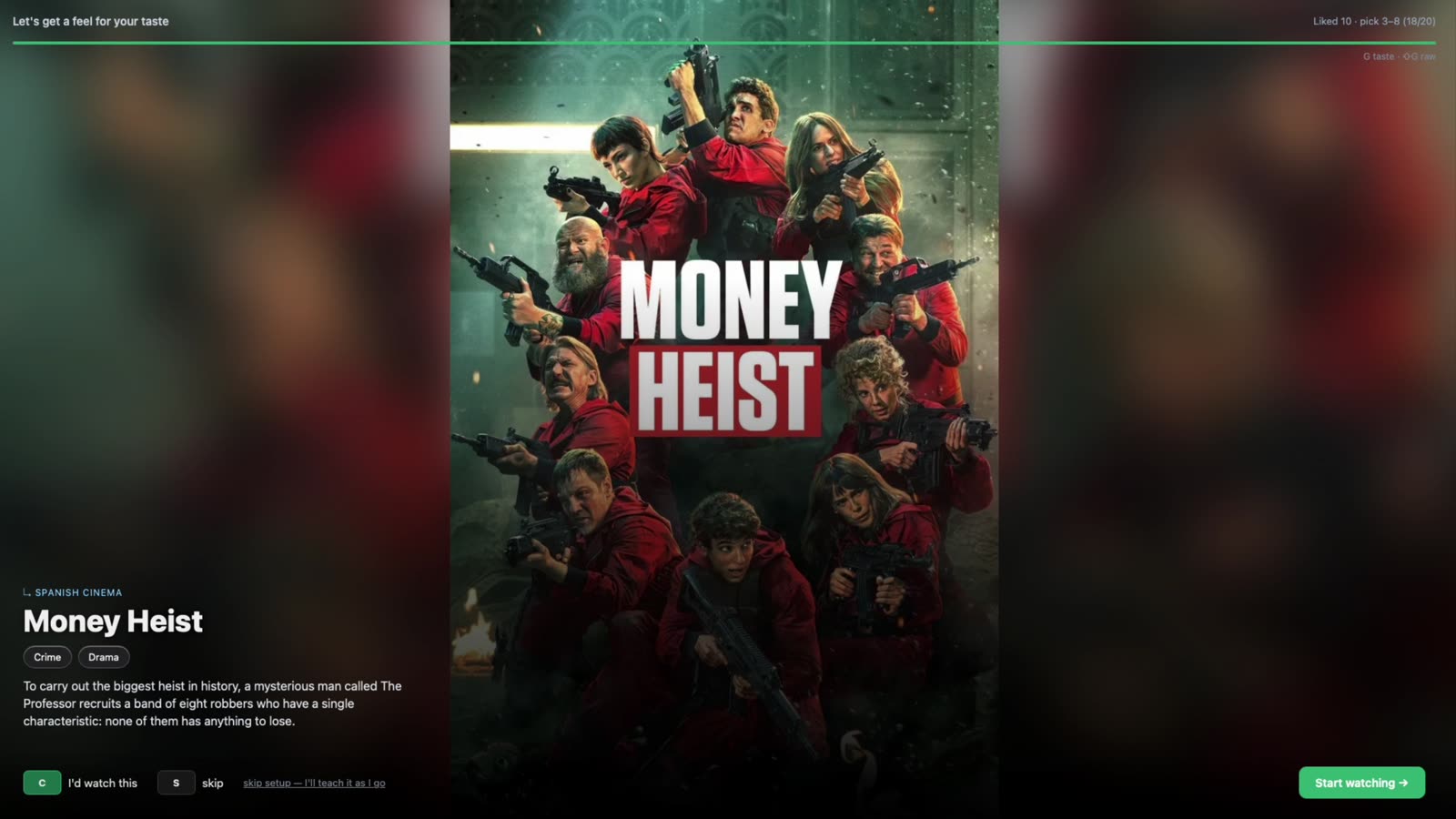
Onboarding: a few posters, each answered with “I'd watch this” or “skip,” ending on “building your stream”

First, something worth judging. My first catalogue only held films released before 2008, each with a title and a synopsis. I tried it myself and couldn't tell whether I'd like anything. So I added trailers. They were old, and the picture quality was terrible.

Observation
Gave up on the trailers within seconds.
At the time
Strong rejection signal.
Looking back
I was rejecting the pixels, not the film.

I swapped in a current catalogue. Before you model taste, make sure the thing on screen is worth judging. A signal can only be as good as the material behind it.
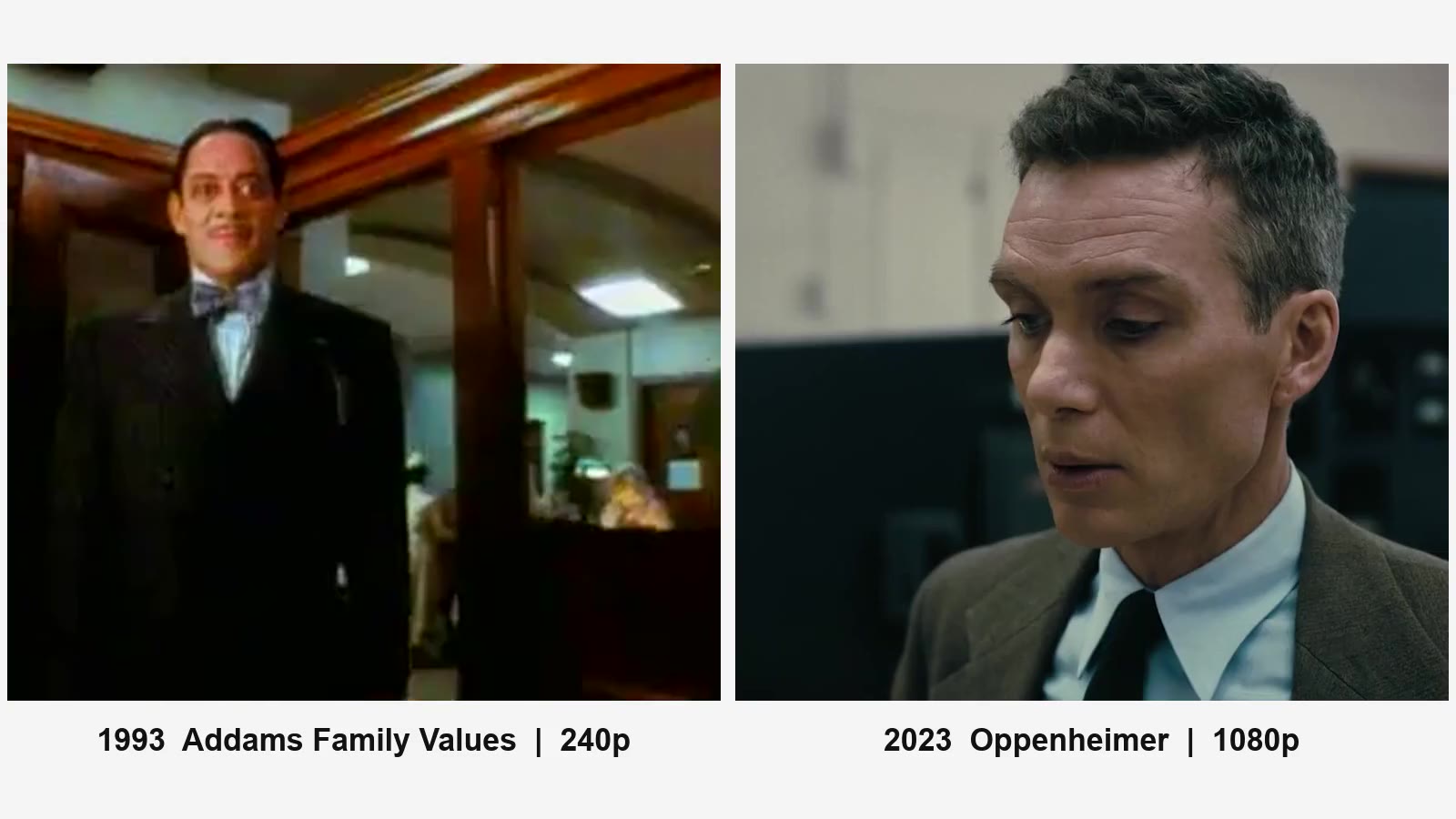
Two trailers side by side: Addams Family Values (1993) at 240p, blocky and smeared, and Oppenheimer (2023) at 1080p, sharp

Trailer first. The first recommendation plays immediately. No wall of posters; title, tags and a one-line synopsis sit over the picture.
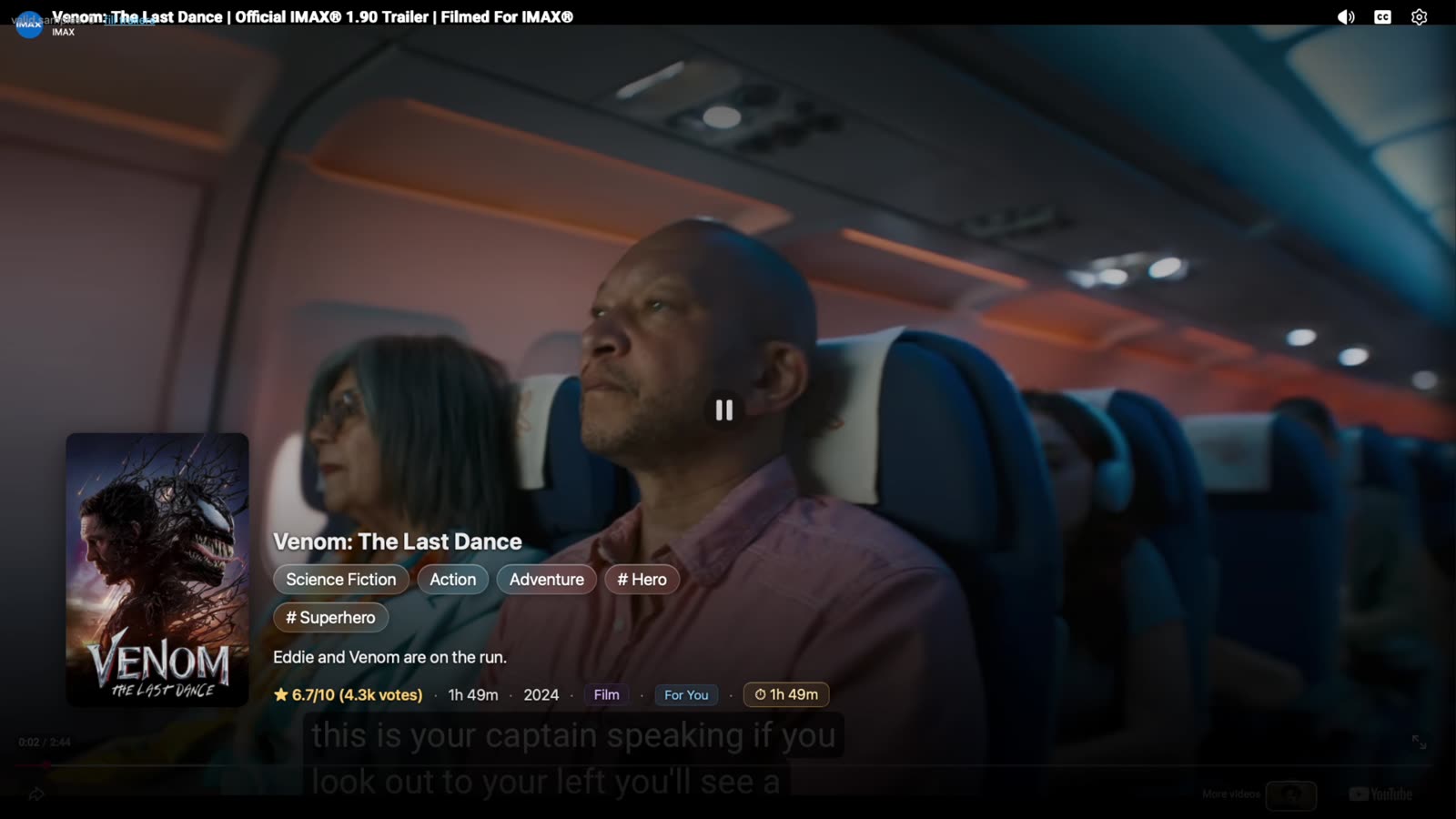
A trailer playing full-screen with the title, genre tags and synopsis over it
Subject D
Liked it for a plain reason: it keeps going without interruption.
Subject A
Likes the immersive experience with sound, but wants a choice: trailers with sound, or still images on evenings when he doesn't want any noise. He also wants to watch the trailer first, before it jumps into an episode.
At the time
Autoplay is the whole idea.
Looking back
Autoplay with sound is also a household decision.

It shows what it's learning. A side panel lists what this choice moved, your running taste profile, and what is queued next.
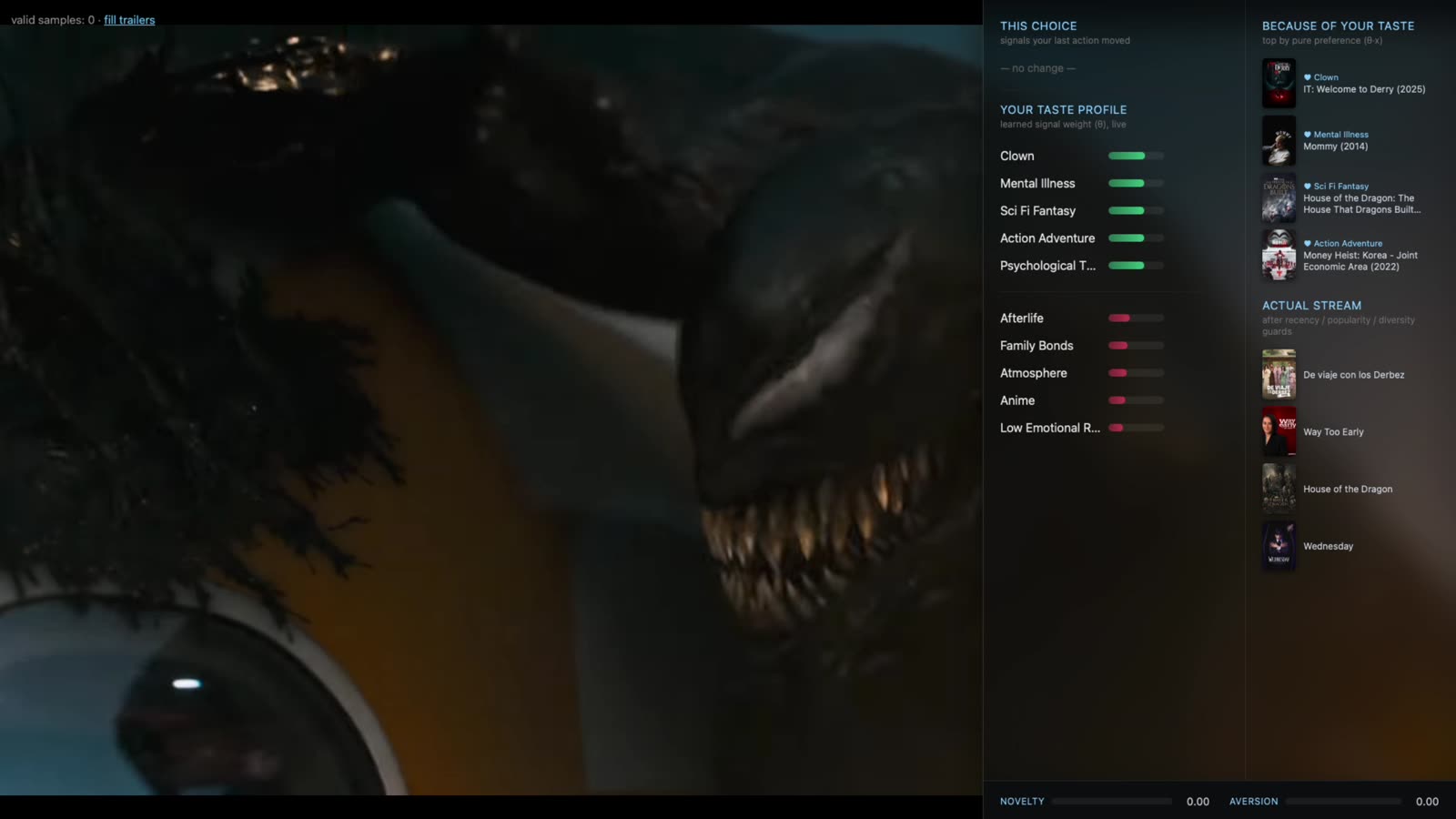
The taste side panel beside a playing trailer: this choice, taste profile bars, and the upcoming stream
Subject A
Too compact and too busy. From the sofa he struggled to read it, and in the evening, with tired eyes in a dark room, there was simply too much information.
At the time
More visible signals means more transparency.
Looking back
From the sofa it's wallpaper.

Change like channels. Up and down switch trailers, the way you'd flip through channels, and the panel updates as you go.
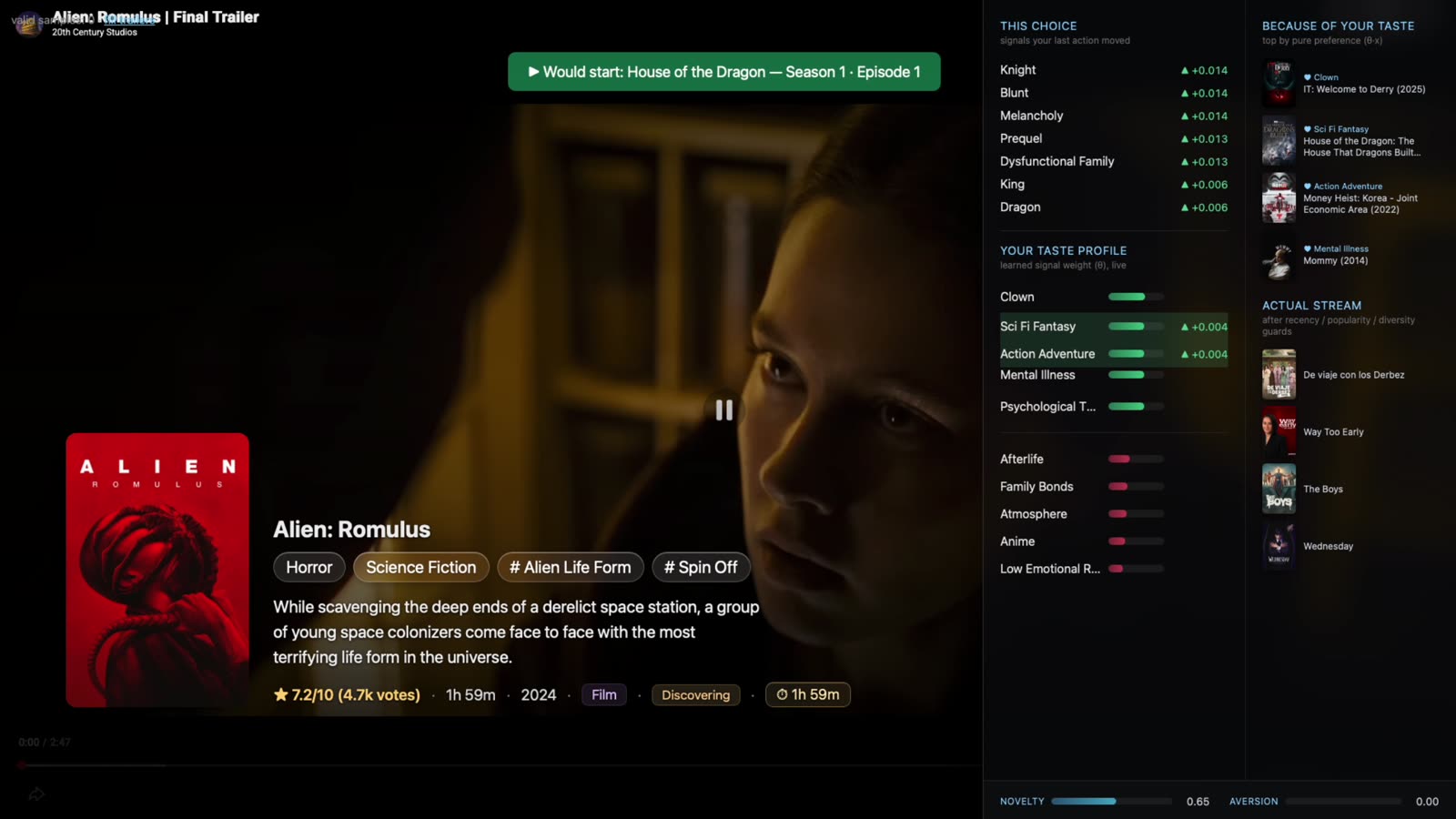
Switching between trailers with the taste panel updating alongside
Subject A
“It's easy, just lazy scrolling.” He compared it to the old remote-control experience of flipping between channels.
Subject B
Comfortable with it straight away. He knows this kind of vertical swiping from TikTok.

Familiar, then. But what does a scroll mean? My prototype logged every action and gave it a weight. “Try next” counted as a weak negative: probably not a dislike, but not a vote in favour either. Then I asked people.

The system
Try next → weak negative.
Subject A
“Skipping doesn't mean negative.” Up and down are just a way of browsing. Only adding to his library means he likes it; only an explicit “I hate this” means the opposite. Everything else is neutral.
Subject B
Up, down, and how long you stay on something do mean something. He wasn't sure how to measure it.

Three readings of one gesture. Here is a row from my own test log:

Test log
Groundhog Day · try_next · 114.73 s · side panel open
At the time
Nearly two minutes with the side panel open. A considered rejection.
Looking back
I was chatting.

Dwell time is observable. Intent is not.

Details when you want them. Press right and a side panel opens with seasons, episodes, cast and similar titles, without leaving the trailer.
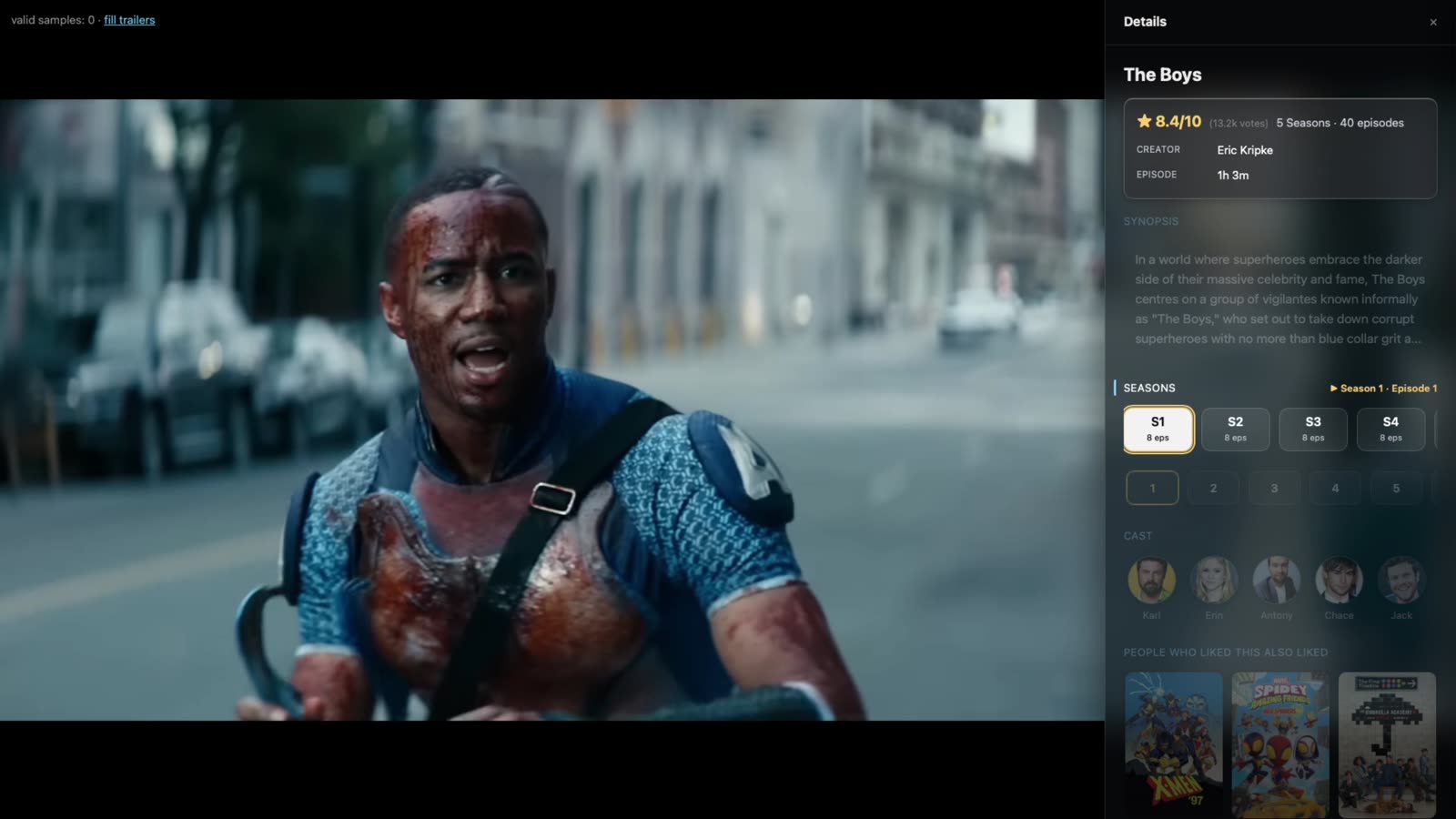
The details panel for The Boys opening beside the trailer with seasons, episodes and cast
Subject A
Wants the rating at first glance, and how long the film is. “I don't care about actors, honestly.” Seasons matter more to him than cast.

Then comes the question I haven't solved: how does a viewer open the panel? Up and down already browse. Three answers, from three people, none of them wrong:

Subject A
Put season and episode choices in a row along the bottom. Natural, but it needs the down key, which already means “next.”
Subject B
Use the Menu button. He's a Sky user, and for him that's the natural reach. He also described a YouTube Shorts model: from a show page, down should take you through more of that category.
Me
Show Play and Add to library permanently in the lower-left corner.
At the time
One key, one meaning is easier to predict.
Looking back
One key that changes meaning with where you are is easier to live with.

I haven't chosen between the first two. My own answer, buttons permanently in the lower-left corner, turned out to solve a different problem. More on that below.

It explains itself. Pause, and it tells you why: which parts of your taste this title matched.
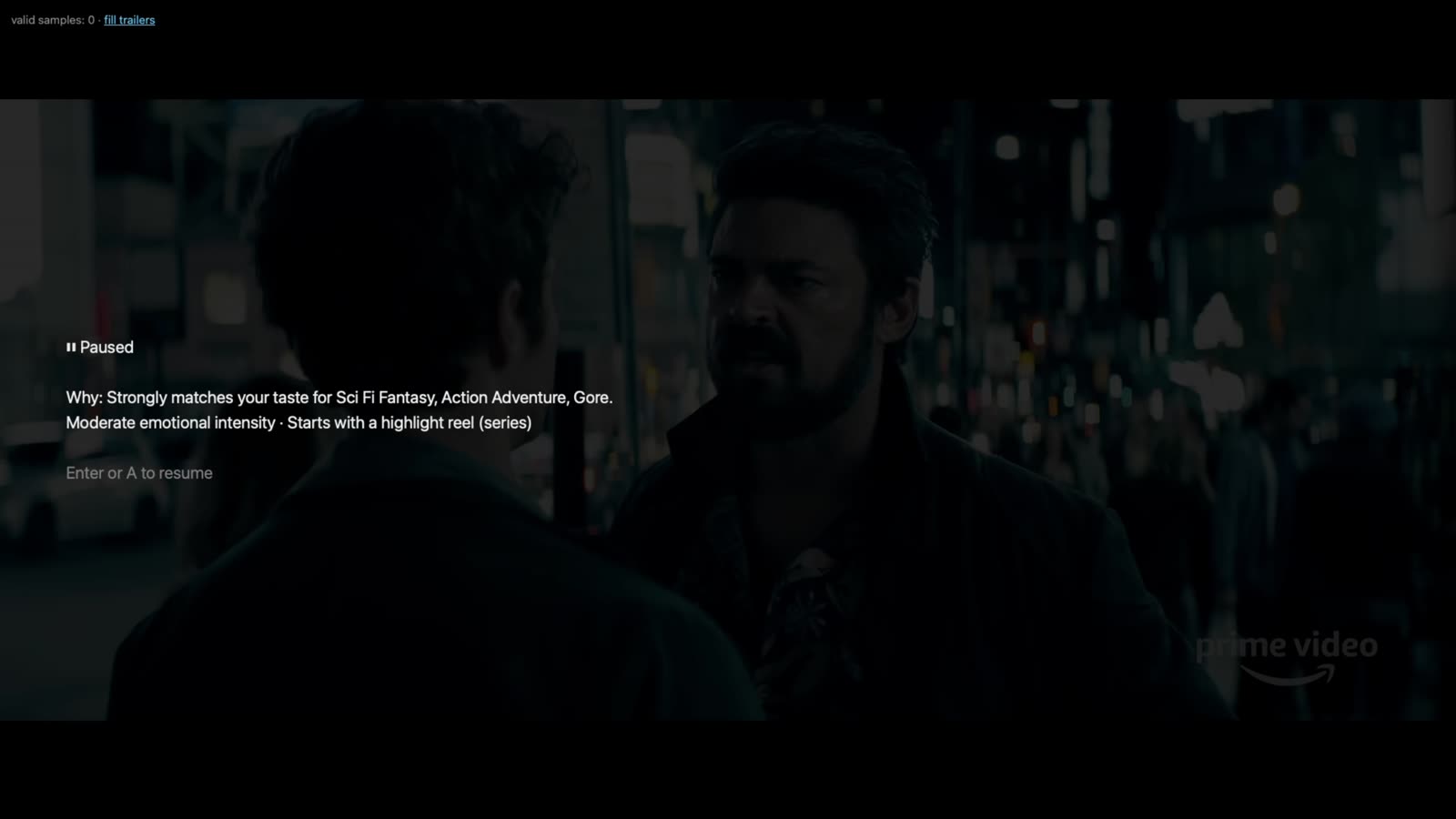
A paused trailer with a short explanation of why the title matched your taste
Subject A
Asked whether he'd noticed the recommendations changing as he scrolled: “No, I didn't notice that, but it's nice to have.”
At the time
It learned. The panel shows it.
Looking back
He didn't see it. A system that learns quietly may as well not have learned.

What the tour doesn't show

Three things I didn't see coming.

A button that already existed. Subject A asked for what every streaming service already has: Play, and a way to save a title for later.

Subject A
“I really want to watch this, but maybe not now — I'm not in the mood — and I want to save it somehow.”
What my prototype offered
“I'd watch this” and “skip.”
At the time
Two states are enough to learn from.
Looking back
There are three. Liking something and wanting it tonight are different things. And a fourth is missing: “not for me.”

I had invented a vocabulary for something that already had one. It was worth it for what it showed: a skip is only ambiguous because the button for what people actually meant wasn't there.

That is where my lower-left idea from earlier came back. Here is the row added to the prototype: move focus to Add and press OK, then back to Play and press OK.
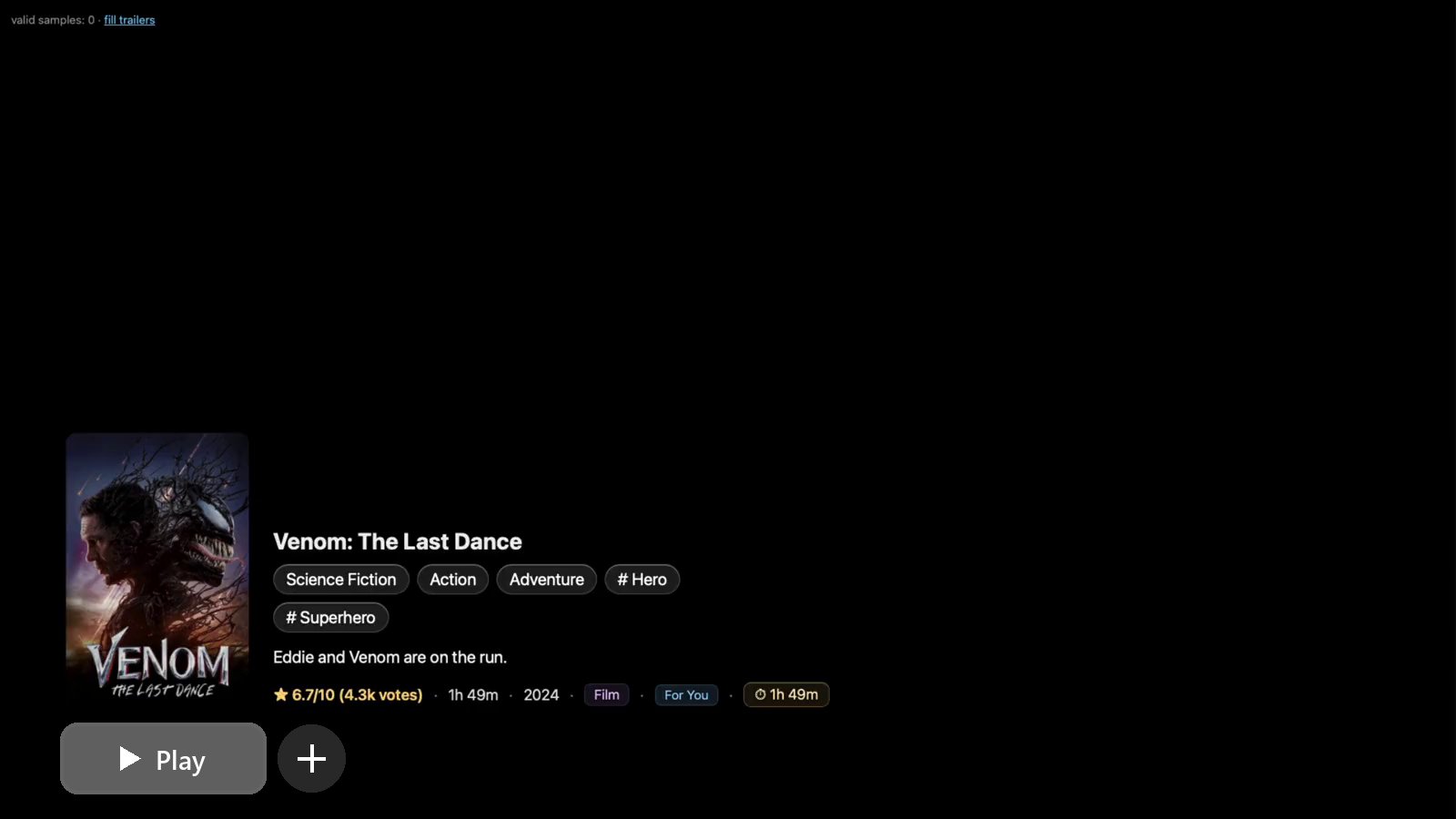
The Play-first screen: with the remote, focus moves to + and it turns into a tick, then Play is pressed and the screen goes black with “Now playing”

A front door. Subject A didn't even notice the “Play First” label. When I asked where the entry should go, the answers split:

Subject A
Near the large tiles in the middle of the screen, and not as the default. “I'd like to decide if I want to switch to this mode.”
Subject B
The top nav makes sense.
Subject E
Not the top nav.
Subject C
Asked me where the entry was.
Subject D
Don't worry about it. The immersive, simple experience is already impressive; the rest can come later.
At the time
Entry placement is the first thing to settle.
Looking back
D thinks that once you're in, how you got there doesn't matter. I'm not sure he's wrong.

Someone who didn't need it.

Subject E
Didn't see what the project was for.
At the time
E may simply not be the target viewer.
Looking back
Or I assumed that browsing hurts, and never checked who it hurts.

That is where my notes end for now. The promo promised a feed that learns what you like. What I have instead is a smaller claim, and a guess: it may suit people who are tired of choosing, and it needs buttons that let them say what they mean. The next thing to test is whether the guess holds for someone who isn't already tired.

Appendix

Specimens, for anyone who wants the mechanics.

How the feed learns within a session, how it starts from cold, and how it explains why it holds something back.
What happens next
1
Here’s a trailer for you
Look at the poster below, then pick a reaction: watch it, add it to your library, or skip it.
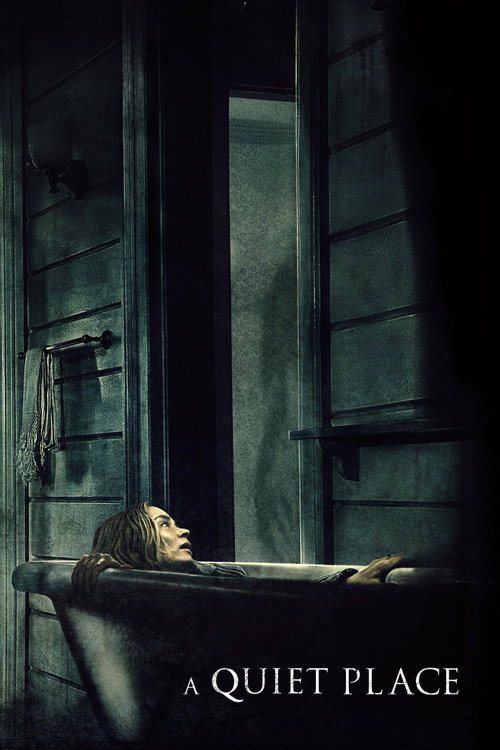
A Quiet Place
A Quiet Place· Waiting for your pick…
Genremoves fast
HorrorDramaScience Fiction
Tonemoves a little
TenseHigh emotional riskEmotional depth
Keywordsbarely moves
Survival horrorAlien invasionCreaturePost-apocalyptic futureAlien life-formChild in perilHuman vs alienParentingPregnancyDeafSign languagesFireworks
Your pick decides what comes next
↺ The next pick starts from what it just learned.

Movie data from TMDB.

Next projectGarden Ally